MLflow 3.17.0 Highlights: Jev Decisions, Resource Permissions, and Faster Trace Analytics

MLflow 3.17.0 brings typed decisions into evaluation and tracing, finer control over access to shared resources, and faster analytics for large trace datasets. This release also improves evaluation result attribution and saved Assistant conversations on shared servers.
1. Faster LLM-as-a-Judge with Jev, TypeSafe's System One models
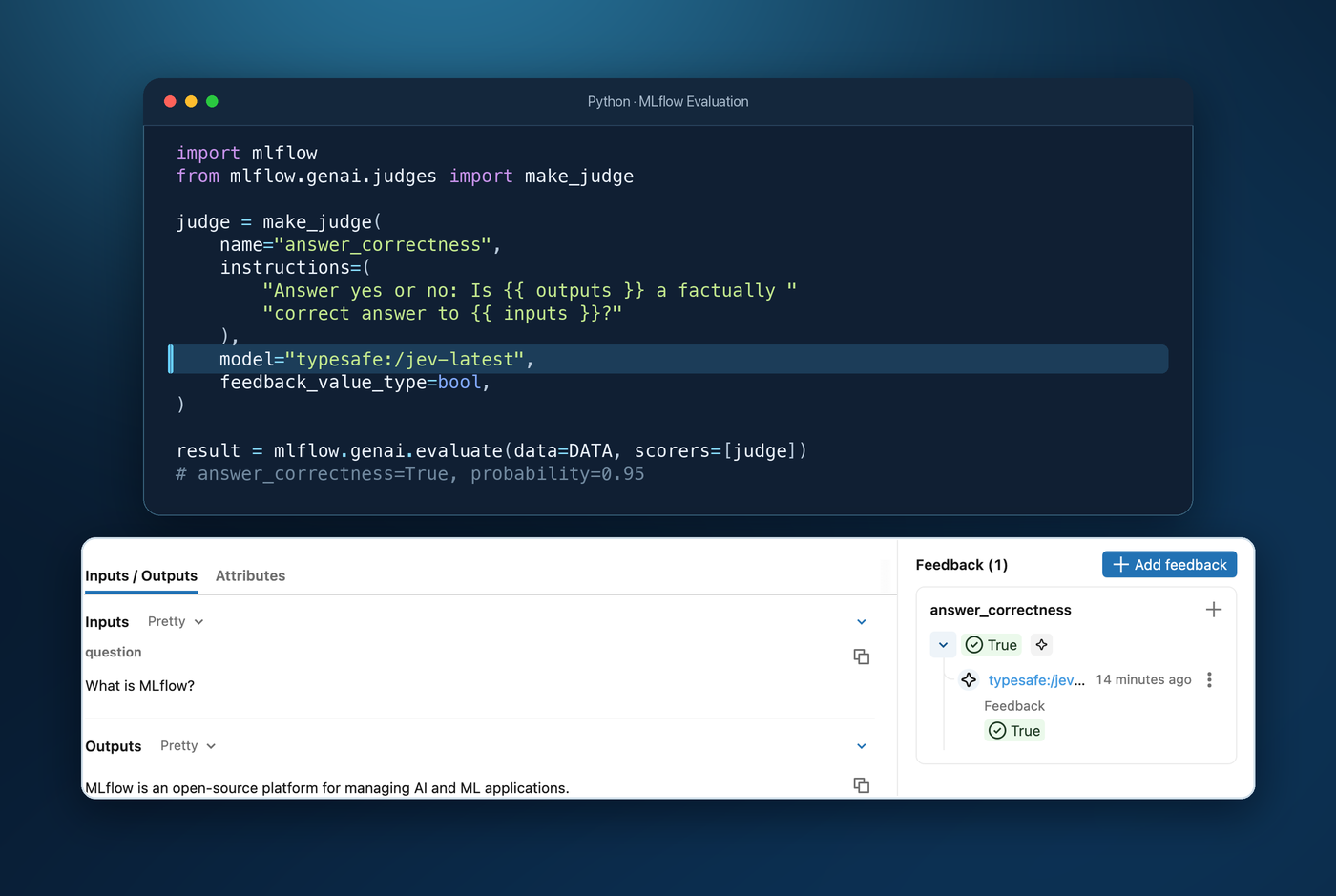
Large evaluation runs can become slow and expensive when every yes/no check calls a general-purpose LLM. MLflow now supports TypeSafe's Jev models as judges. For yes/no or finite-category checks, set model="typesafe:/jev-latest" and use the judge in your existing mlflow.genai.evaluate() workflow.
Jev returns a structured decision, which MLflow records as an assessment. The probability or category distribution is saved in assessment metadata, so you can identify close calls when reviewing results. Jev gives teams a faster, lower-cost option for frequent checks; a versioned model ID keeps comparisons consistent across runs.
Learn more about TypeSafe judge models
2. Observability for System One models in MLflow Tracing
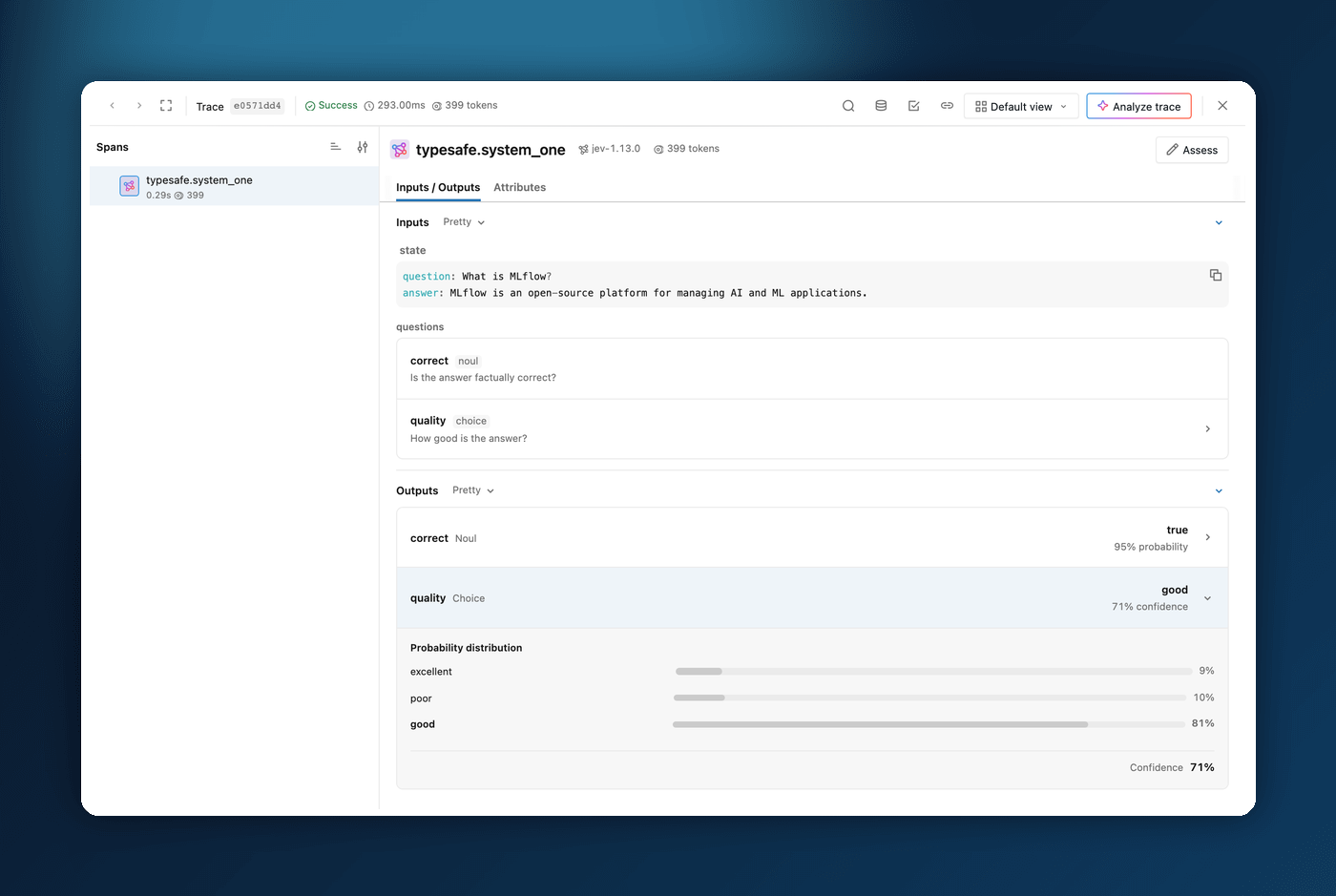
A Jev decision can determine what an agent does next. With mlflow.typesafe.autolog(), MLflow traces synchronous and asynchronous System One calls, capturing the state and questions sent to the model, structured answers, latency, errors, and token usage when available.
The trace viewer presents each TypeSafe answer with its selected value and probability details. You can inspect a close decision alongside the question and state that produced it, without digging through the raw response. This makes it easier to understand unexpected agent behavior and compare decisions across runs.
Learn more about tracing TypeSafe AI
3. Govern Jev model access through MLflow AI Gateway
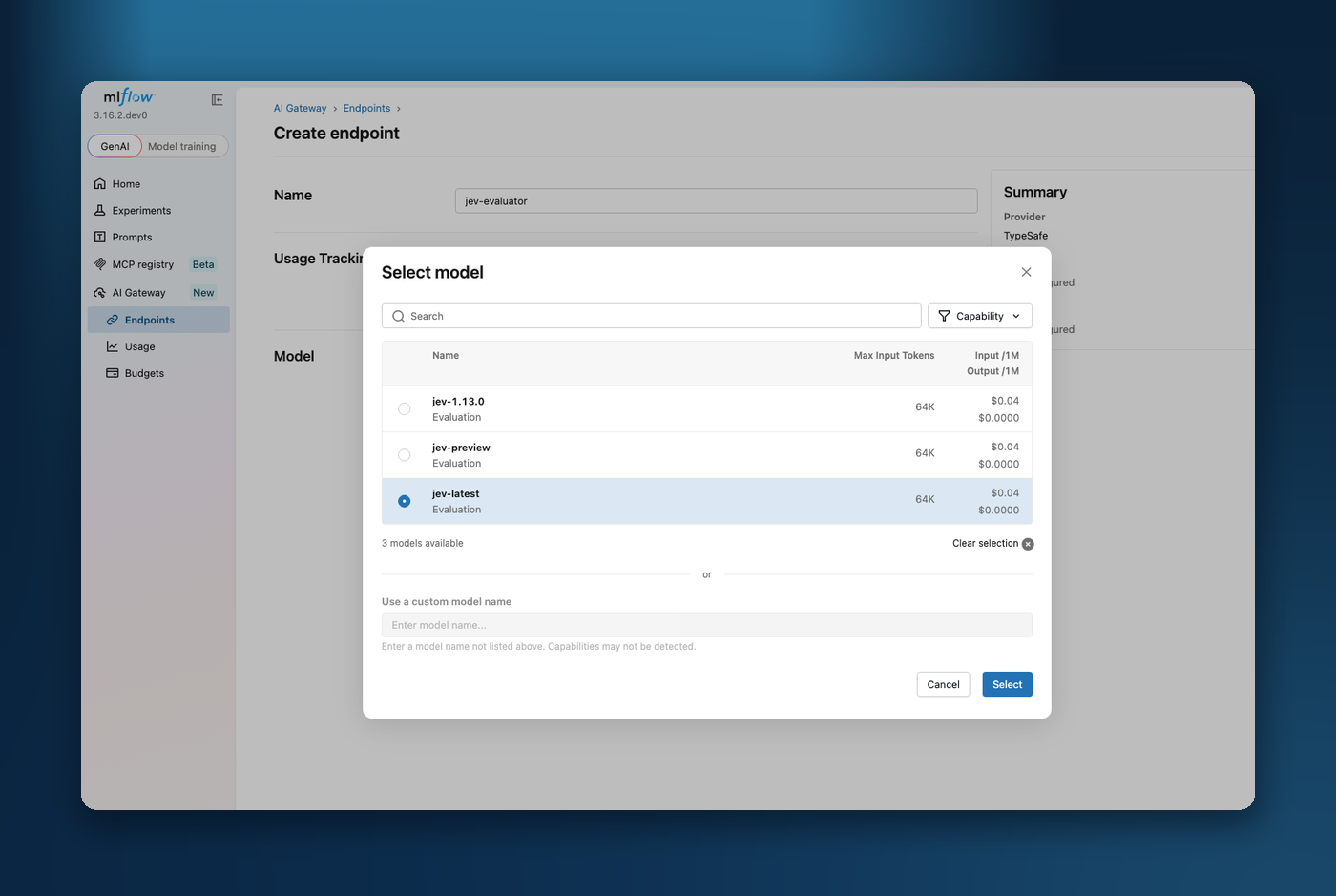
MLflow AI Gateway now supports TypeSafe System One calls. Create an endpoint for a Jev model, keep the TypeSafe API key on the server, and send structured questions using the endpoint name. You can change the configured Jev model without changing each application that calls it.
Gateway tracks usage, supports budgets, and can fall back to a compatible Jev model from another provider, such as OpenRouter, after upstream errors or rate limits. Each endpoint gives you one place to manage access and monitor use for its API.
Learn more about the TypeSafe Gateway provider
4. Fine-Grained Permissions for Shared Resources
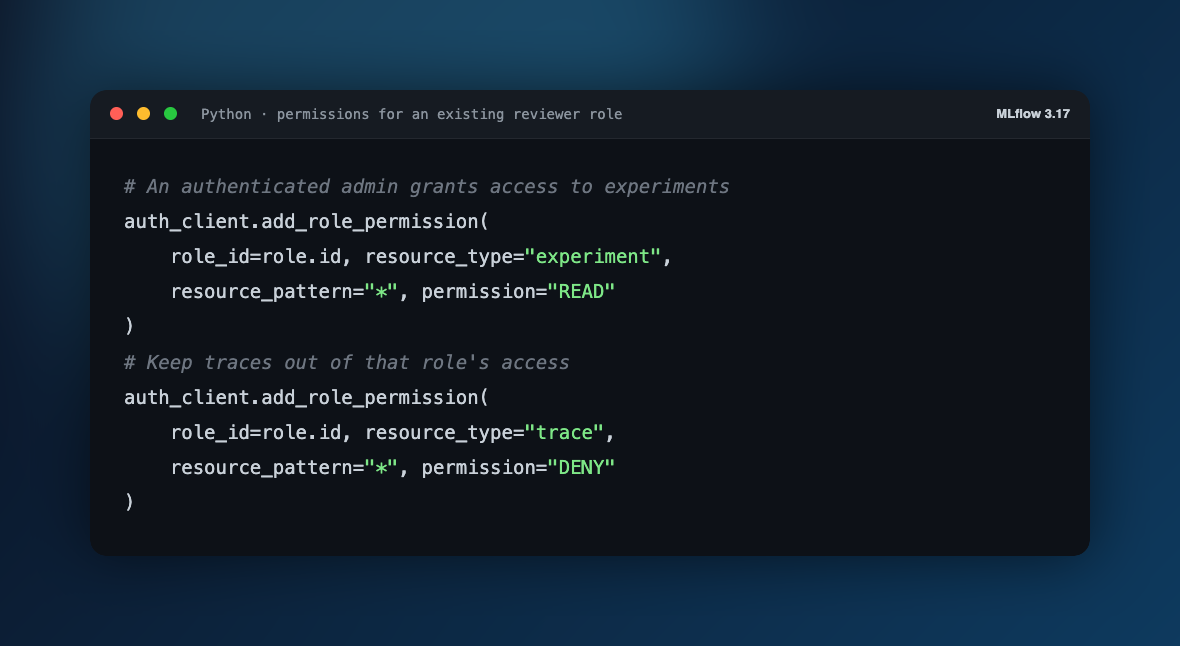
Give collaborators access to an experiment without automatically exposing every kind of resource inside it. Role-based access control now covers runs, traces, assessments, logged models, review queues, and model, prompt, scorer, and MCP-server versions. Administrators can configure these permissions in the Admin UI or through the Python client.
The new DENY permission makes exceptions to broader grants explicit. For example, a reviewer can read experiments while being denied access to traces. Permissions for the new resource types use wildcard scope, bounded by access to their parent containers; individual run or trace IDs are not supported as grant patterns. Existing container permissions continue to apply when no grant is set for a contained resource type.
Learn more about resource permissions
5. Faster Analytics for Large Trace Datasets
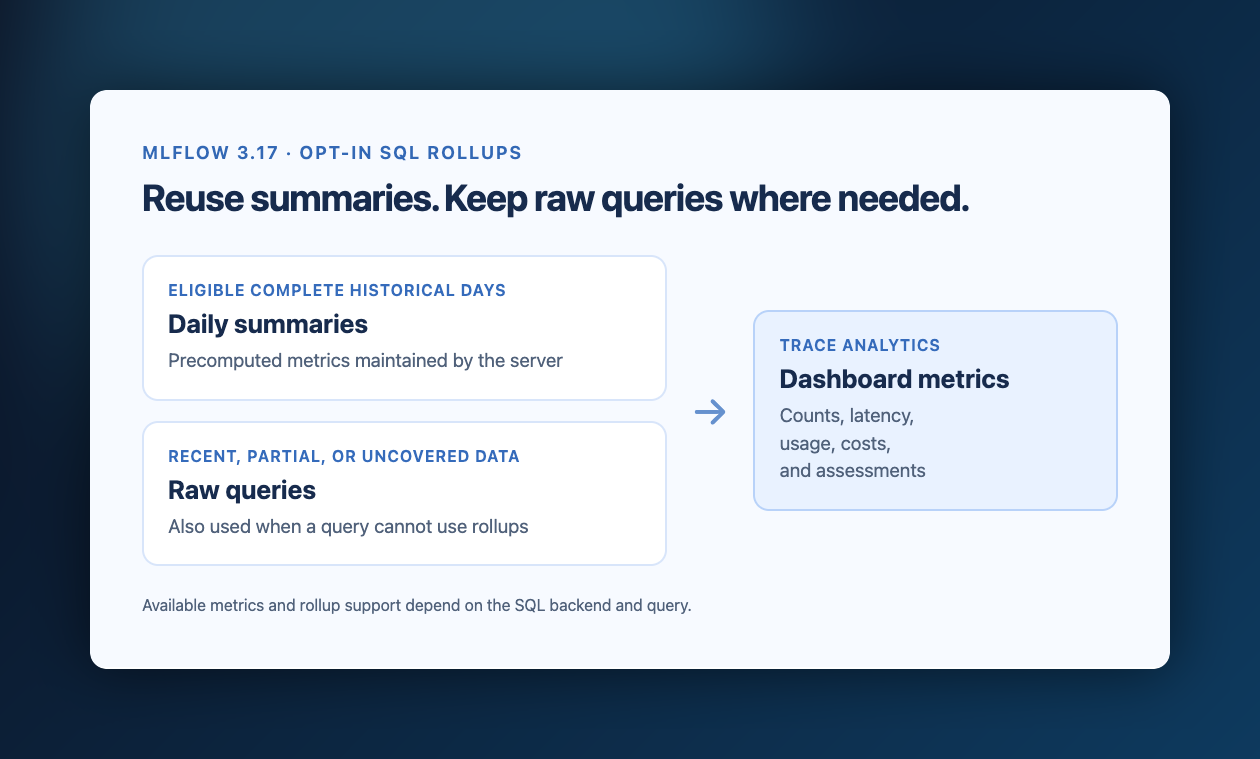
Spend less time waiting for trace dashboards as your datasets grow. SQL-backed analytics now reduce query overhead for trace counts, latency, token usage, costs, and assessments. Optional daily rollups reuse precomputed summaries for eligible historical data, while recent data, partial days, and unsupported queries continue through the raw query path. Trace search and retrieval also avoid unnecessary database and serialization work.
Administrators can enable rollups with MLFLOW_SQL_TRACE_ROLLUPS_ENABLED=true after completing the documented database upgrade and maintenance setup. This schema transition requires a coordinated upgrade with writers stopped; mixed-version rolling upgrades are not supported. The database guide includes an optional resumable preparation command for large installations.
Learn more about trace analytics rollups
6. Clearer Evaluation Results
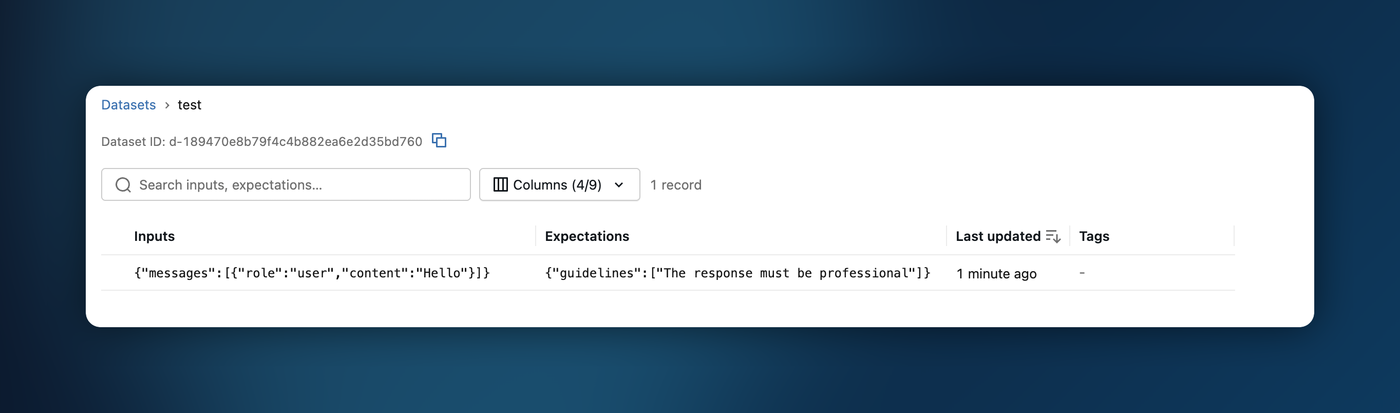
Evaluation results are easier to connect to the model and dataset that produced them. Evaluating a logged model against a managed dataset now records the dataset name and digest on aggregate metrics. Assessment summaries on a logged model's Traces page also match that model's traces.
The dataset details page displays a copyable dataset ID, so you can move from the UI to the SDK without extracting it from the browser URL.
Thanks to community contributor @janald99 for the dataset ID improvement!
Learn more about evaluation datasets
7. Assistant Improvements for Shared Servers
Saved Assistant conversations are now scoped to the signed-in user. Switching accounts resets the active session and unfinished prompt, so the next person using the same browser starts with their own conversation. Experimental sandbox deployments also align the fallback container's Python and released MLflow versions with the server.
Learn more about MLflow Assistant
Full Changelog
For a comprehensive list of changes, see the release change log.
What's Next
Get Started
Upgrade to try these new features:
pip install mlflow==3.17.0
Share Your Feedback
We'd love to hear about your experience with these new features:
- GitHub Issues - Report bugs or request features
- MLflow Roadmap - See what's coming next and share your ideas
- ⭐ Star us on GitHub - Show your support for the project
Learn More
- Check out the MLflow documentation for detailed guides